
16+ Years of Expertise
Menu
-
Services
Flagship Services
- Bulk SMS
- OTP SMS
- Transactional SMS
- Promotional SMS
- SMS API Services
Other Services
- Whatsapp Business Solutions
- Whatsapp Business API
- Chatbot & Automation
Web SMS Simplified: How to Send and Manage Texts from Your Desktop
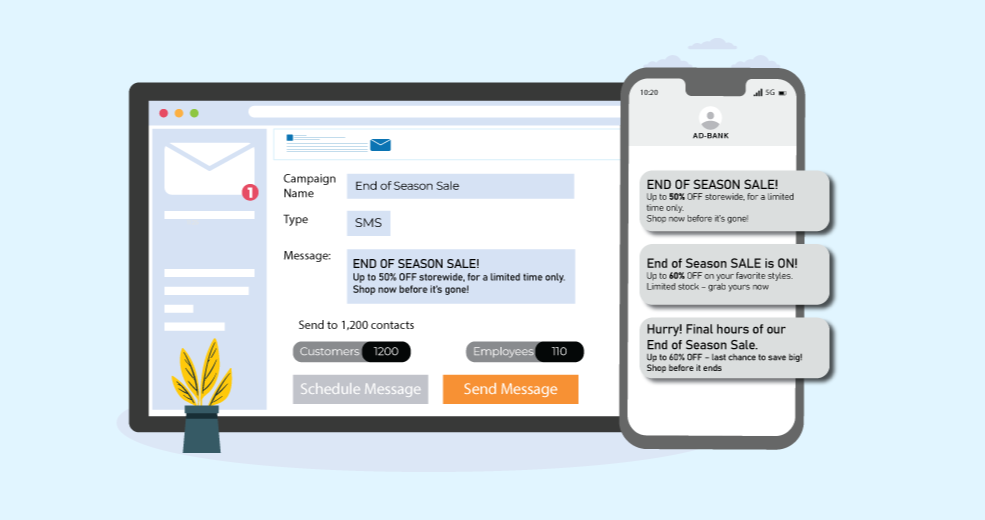
Do you get tired of using your phone all the time to send messages? Now you can send and get text messages right from your computer with something called Web SMS. It’s super easy! You don’t need to download any new apps or use any wires. Everything is right there on your screen. Whether you run a small shop, work in marketing, or just want to text people easily, Web SMS can help. It keeps your messages neat and makes talking to people much faster and easier.
What Is Web SMS and How Does It Work
Web SMS lets you send and get text messages using your computer or laptop - no phone needed! You just go to a special website, type your message, and send it, just like when you use a phone to text. You can send messages to one friend or many friends all at once, and it’s really quick and easy.
All you have to do is sign up on the website, write your message, pick who you want to send it to, and click send. The message goes straight to their phone right away! You can also do cool things like plan your messages for later, keep your friends’ numbers safe, see if your message was read, and even send automatic replies. It’s like having a magic computer that helps you text like a pro!
Top Benefits of Using Web SMS for Businesses and Individuals
Web SMS is a smart and easy way to stay connected with customers or friends - right from your computer. Whether you're running a business or just want to message faster, here are 10 great reasons why Web SMS can make your life easier.
- Send messages from your computer -no phone needed!
- Text many people at the same time.
- Keep all your friends’ or customers’ numbers in one place.
- Pick a time for your message to go out later.
- See if your message was sent and if someone read it.
- Do other work while your messages are being sent.
- Let the computer send quick replies for you.
- No tiny phone screen—type on your big computer screen!
- Make people happy with special, friendly messages.
- Stay safe and don’t worry about wires or extra apps.

Step-by-Step Guide: How to Send a Text from Your Desktop
-
Pick a Website to Send Texts
Choose a site like Shree Tripada or TextMagic to help you send messages.
- Make an Account
Sign up using your email and make a password.
-
Log In
Go to the website and log in to see your message screen.
-
Add Phone Numbers
Type in the phone numbers of people you want to text or use a saved list.
-
Write Your Message
Type your message in the box. Keep it short and nice.
-
Choose Who to Send It To
Pick one person or many people from your list.
-
Send Now or Later
Click send to send it now, or choose a time to send it later.
-
Check If It Was Sent
You can see if your message was sent and read.
Tips to Manage Your Messages Like a Pro
If you want to send messages like a pro, you need to keep things easy and tidy. A bulk SMS service provider helps you send lots of messages at once, instead of one by one. That means you can talk to many people faster! Make sure your message is short, kind, and clear. It also helps to keep your contact list neat and send your texts at the right time so everyone is happy to read them.
One great helper for this is Shree Tripada. It’s a smart and simple tool that uses SMS for web, which means you can send messages right from your computer—no phone needed! You can write your message, choose who gets it, and even check if they got it. With a little help from Shree Tripada, sending messages becomes super easy, fast, and fun—just like a pro!
Ready to Transform Your Business Communication?
Connect with your customers instantly through powerful messaging solutions. From Bulk SMS to WhatsApp automation, we help businesses communicate smarter and grow faster.