
16+ Years of Expertise
Menu
-
Services

Flagship Services
- Bulk SMS
- OTP SMS
- Transactional SMS
- Promotional SMS
- SMS API Services
Other Services
- Whatsapp Business Solutions
- Whatsapp Business API
- Chatbot & Automation
Airtel DLT : Complete DLT Registration Process
To register for Airtel DLT, you'll need the following documents:
Business Documents: PAN Card, GST/TAN/FSSAI/Memorandum of Association/Incorporation/Shop Registration Certificate (any applicable)
Authorized Person Documents: ID Proof (PAN/DL/Voter ID/Aadhar)
Airtel Specific Documents: Letter of Authorization (download from Airtel portal), GST Declaration (download from Airtel portal), Documents Checklist (download from Airtel portal), Airtel Bank Details for registration fee payment (accepted via NEFT/Cheque/DD), Header CLI Authorization Letter (if applicable)
Visit Here to download all these documents : https://www.airtel.in/business/commercial-communication/help
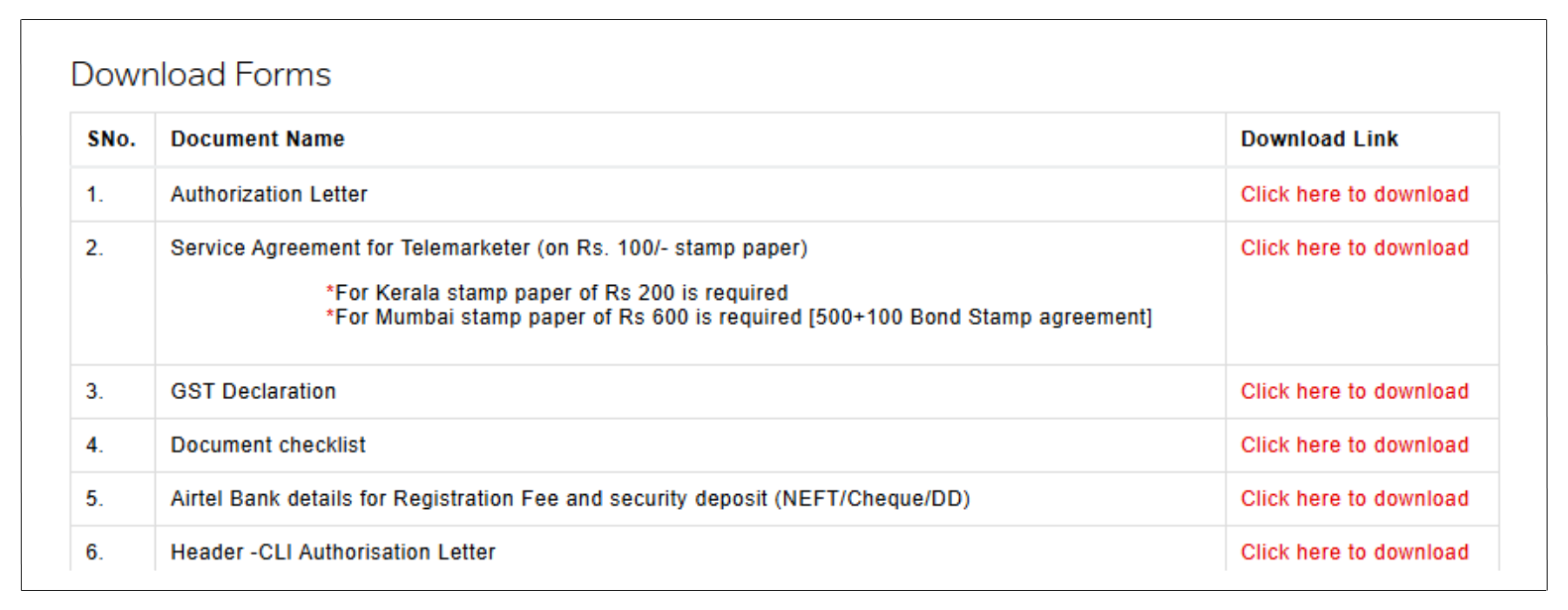
By gathering these documents, you can proceed with the Airtel DLT registration process.
Step-by-Step Guide for Airtel DLT Registration Process
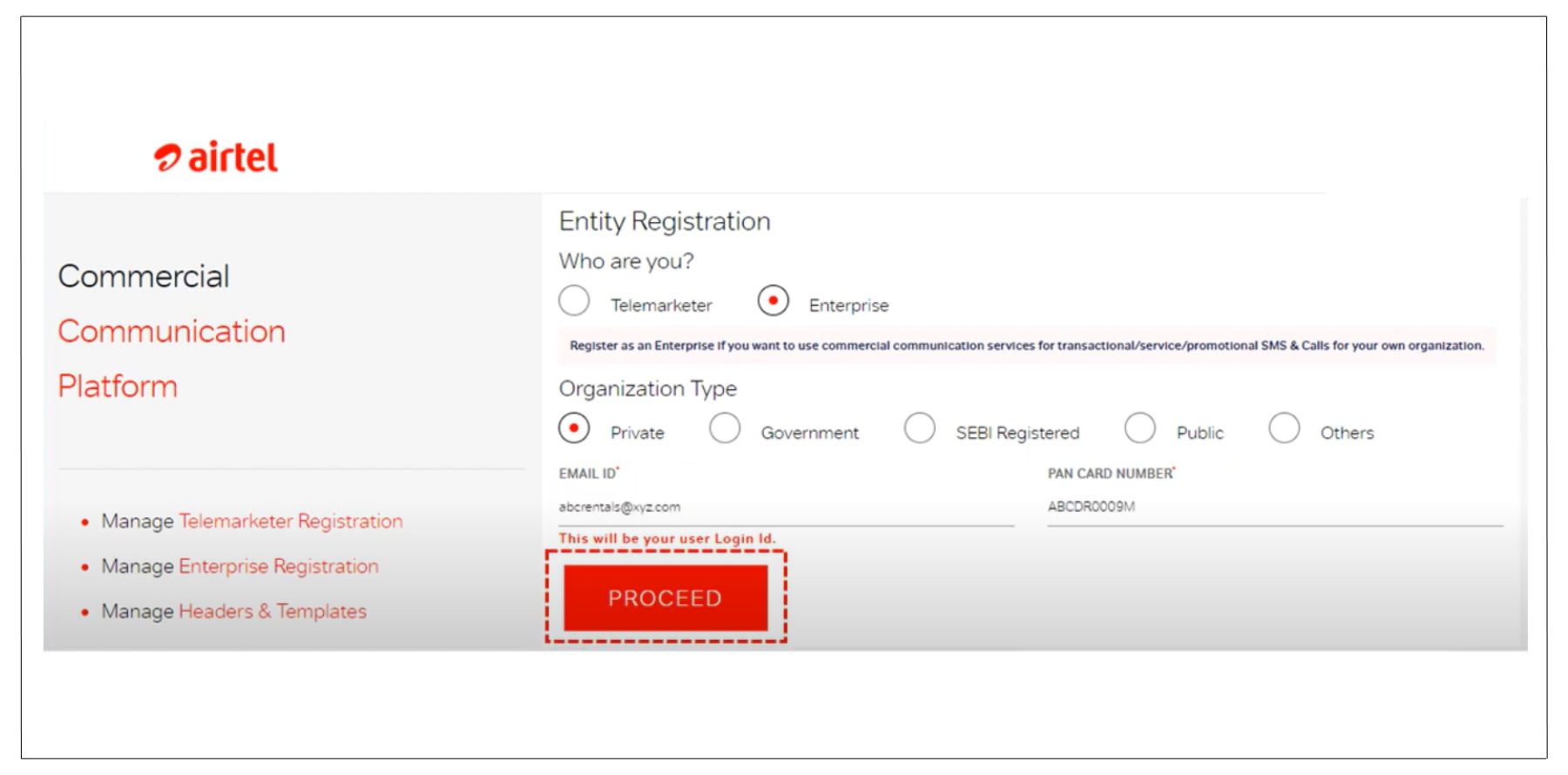
- Go to the Airtel Business DLT Registration website.
- Click on New User Registration.
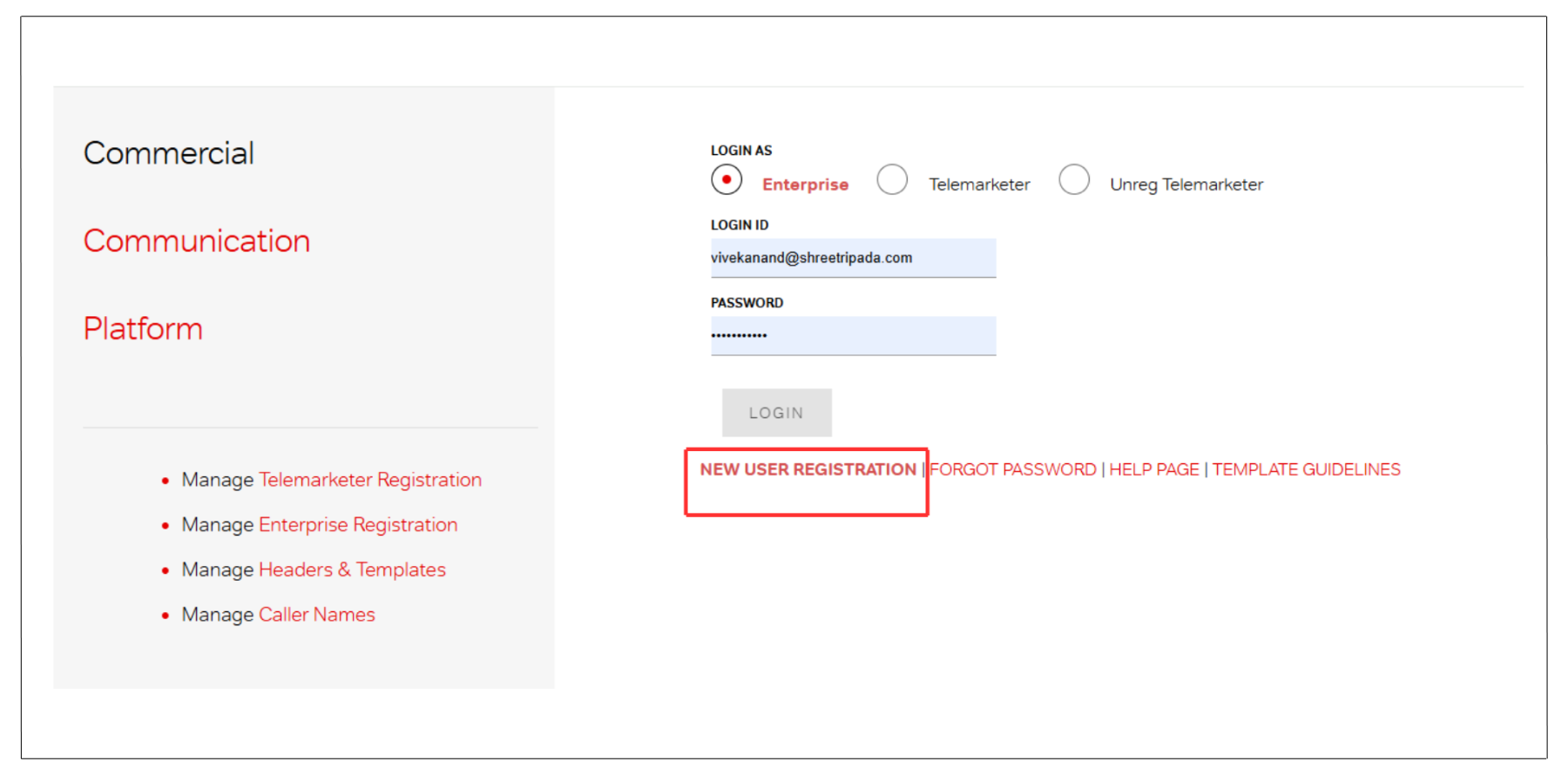
- Select Enterprises (as you are a business) instead of Telemarketer.
- Choose the appropriate organization type from the available options.
- Fill in your email address and PAN card number.
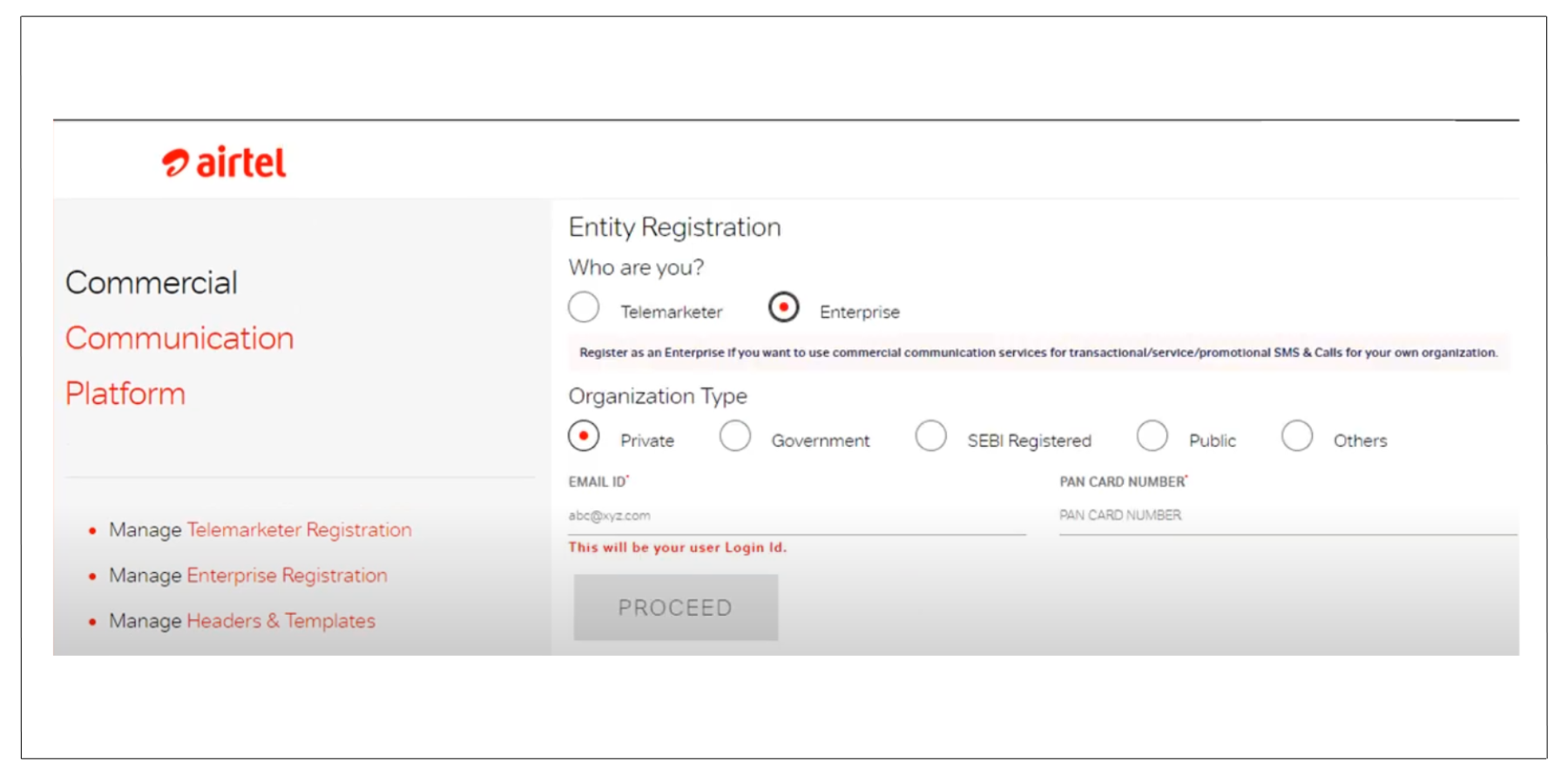
- Click on Proceed.
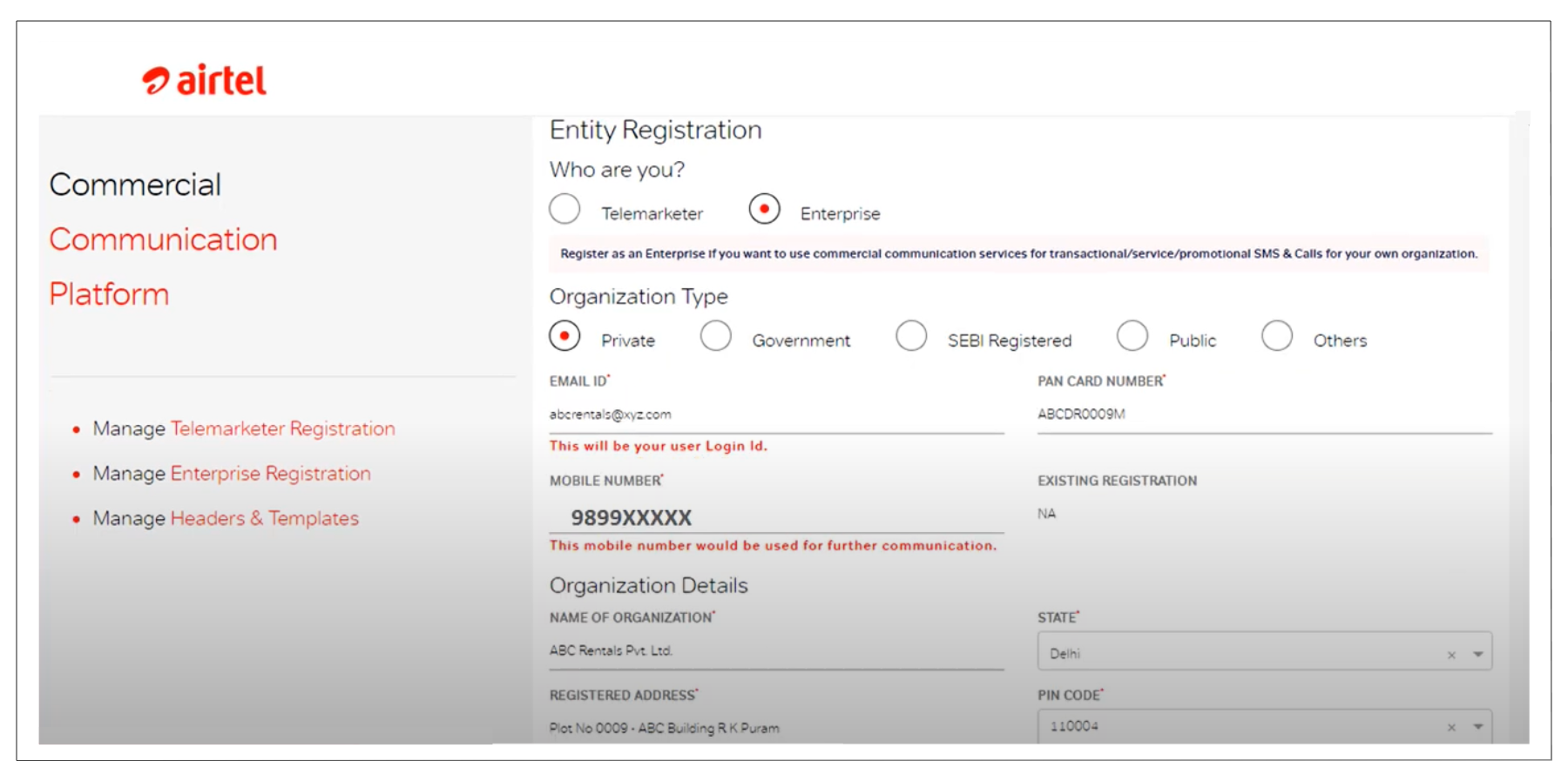
- Provide your organization details and authorized person details.
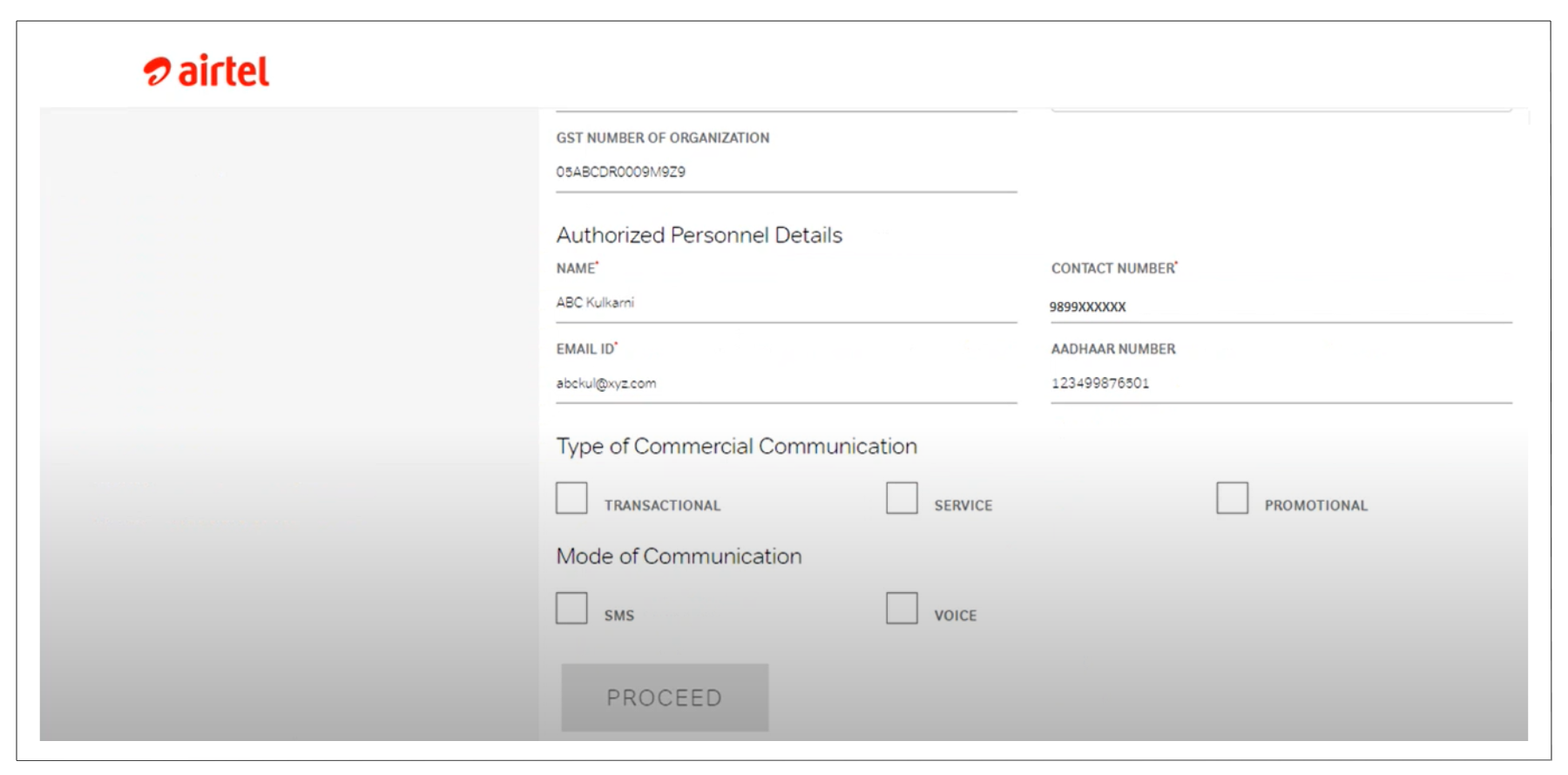
- Select type of communication, mode of communication, type of voice and auto-dialer.
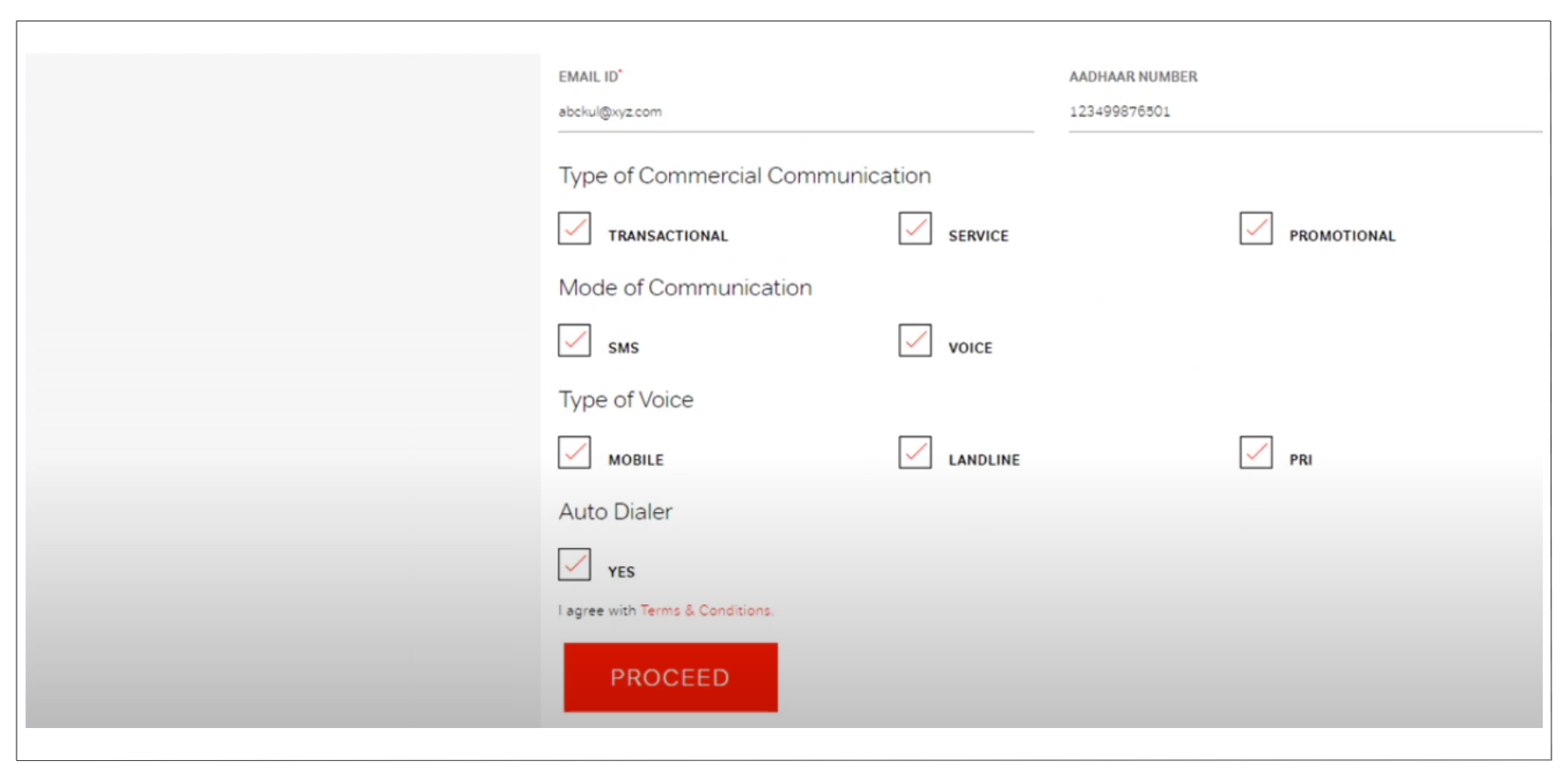
- Click on Proceed.
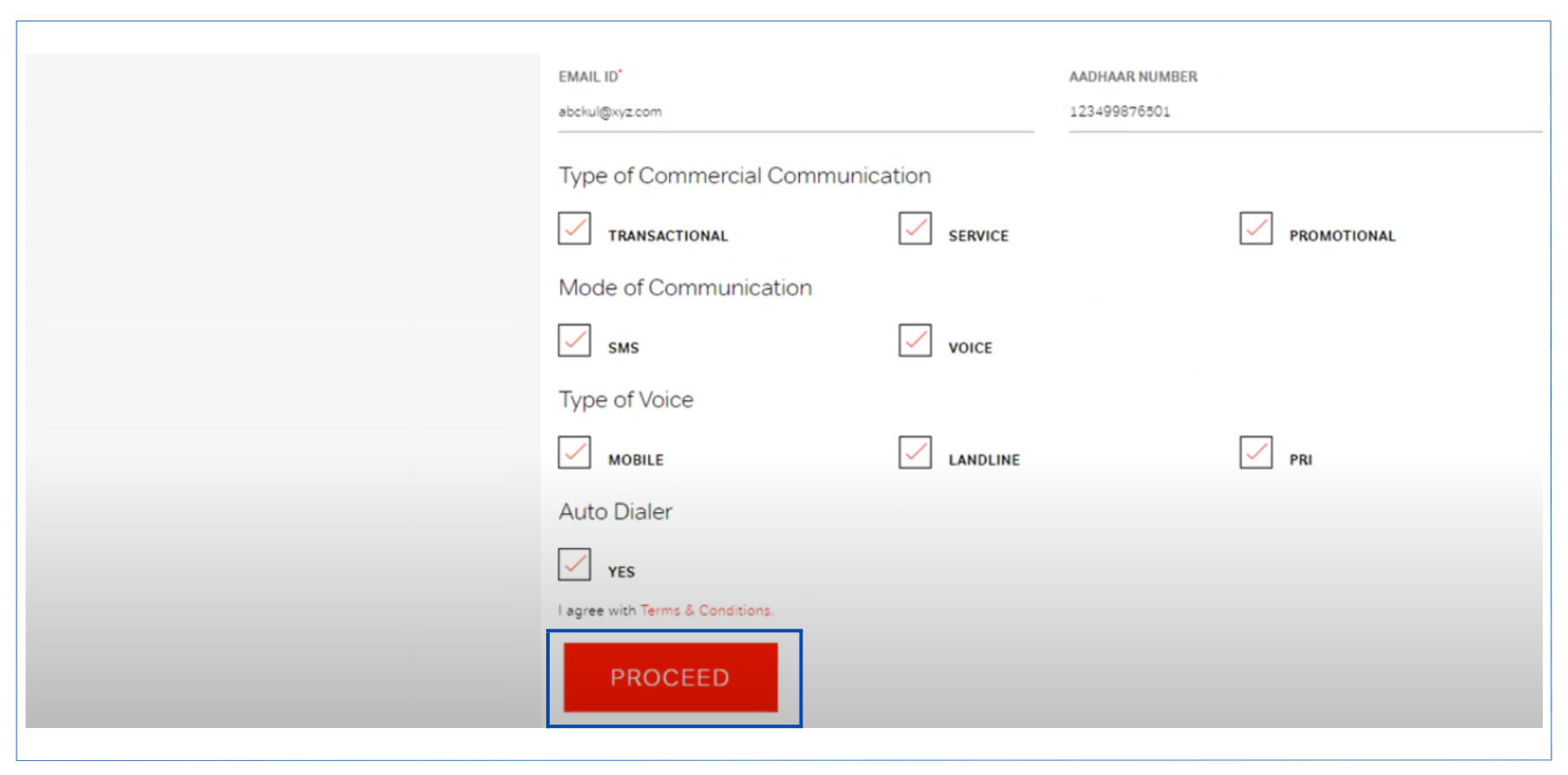
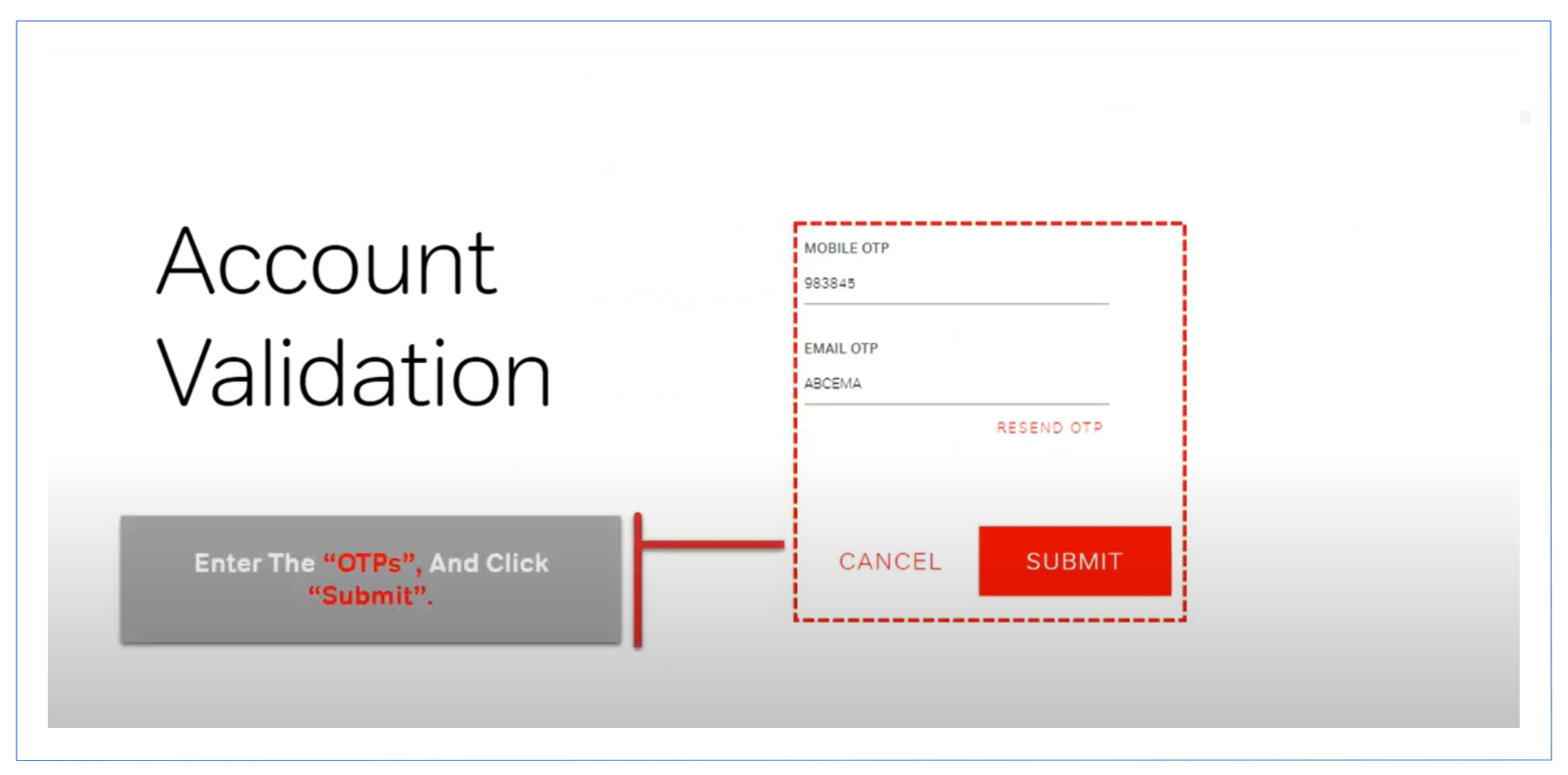
- After Processing You will receive OTP codes on the provided mobile number and email address.
- Enter both OTPs and click Submit.
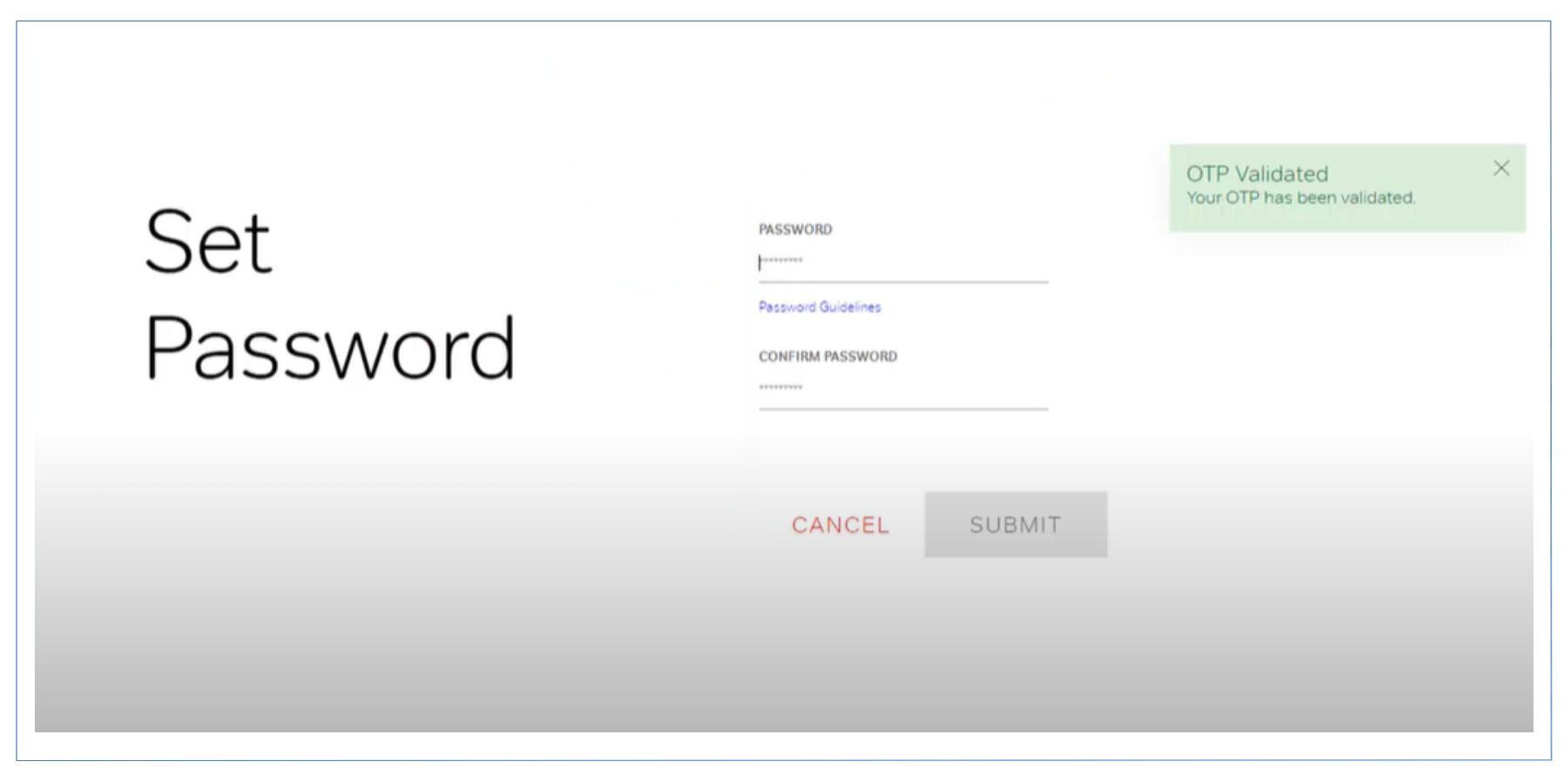
- Set your password as per the provided guidelines and click Submit to proceed.
- After submission, you will be redirected to a page where a reference number will be provided.
- Save this reference number for future use.
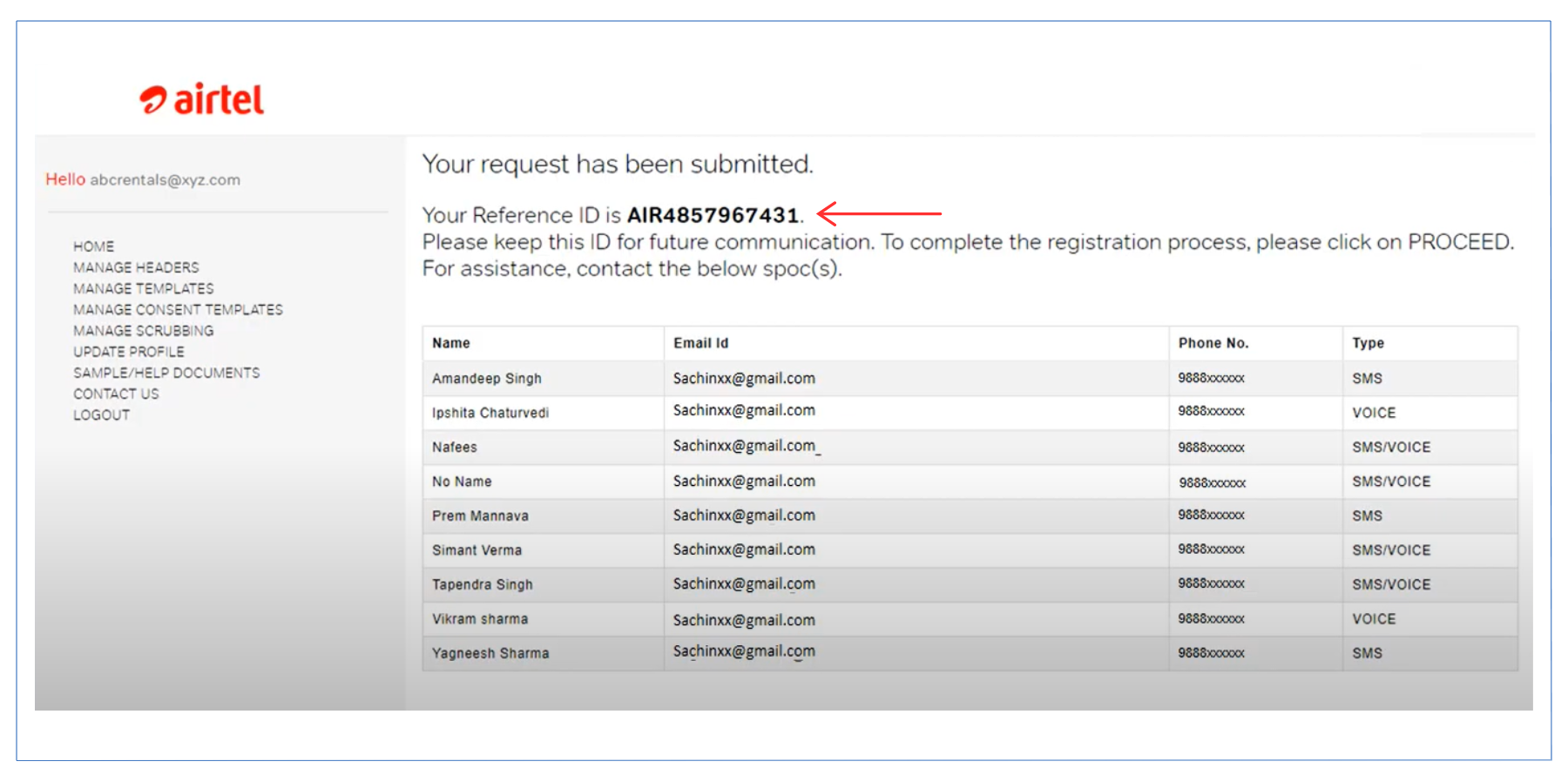
- Scroll down for bank details and Click Proceed.
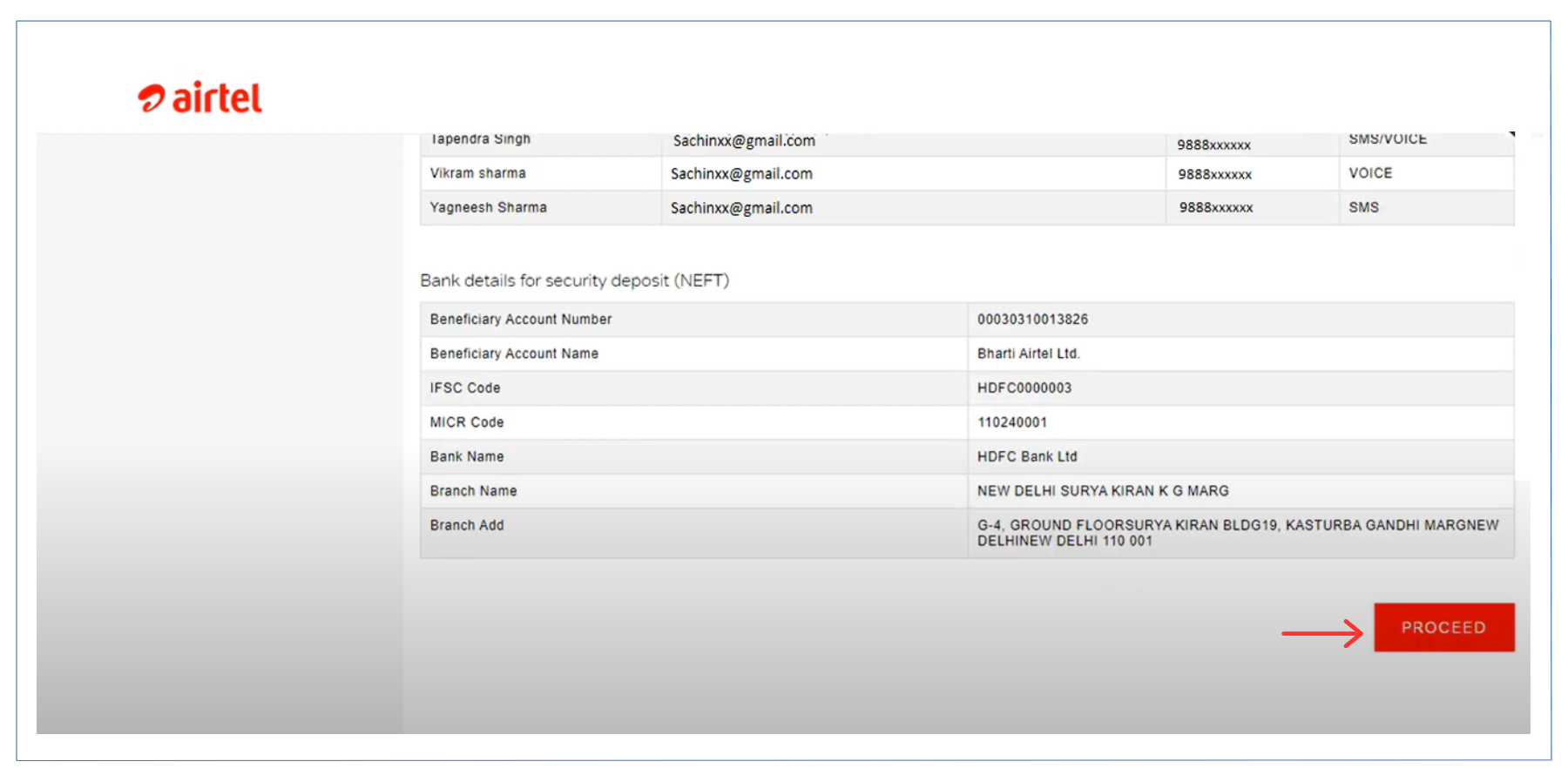
- The next page will prompt you to submit the required documents.
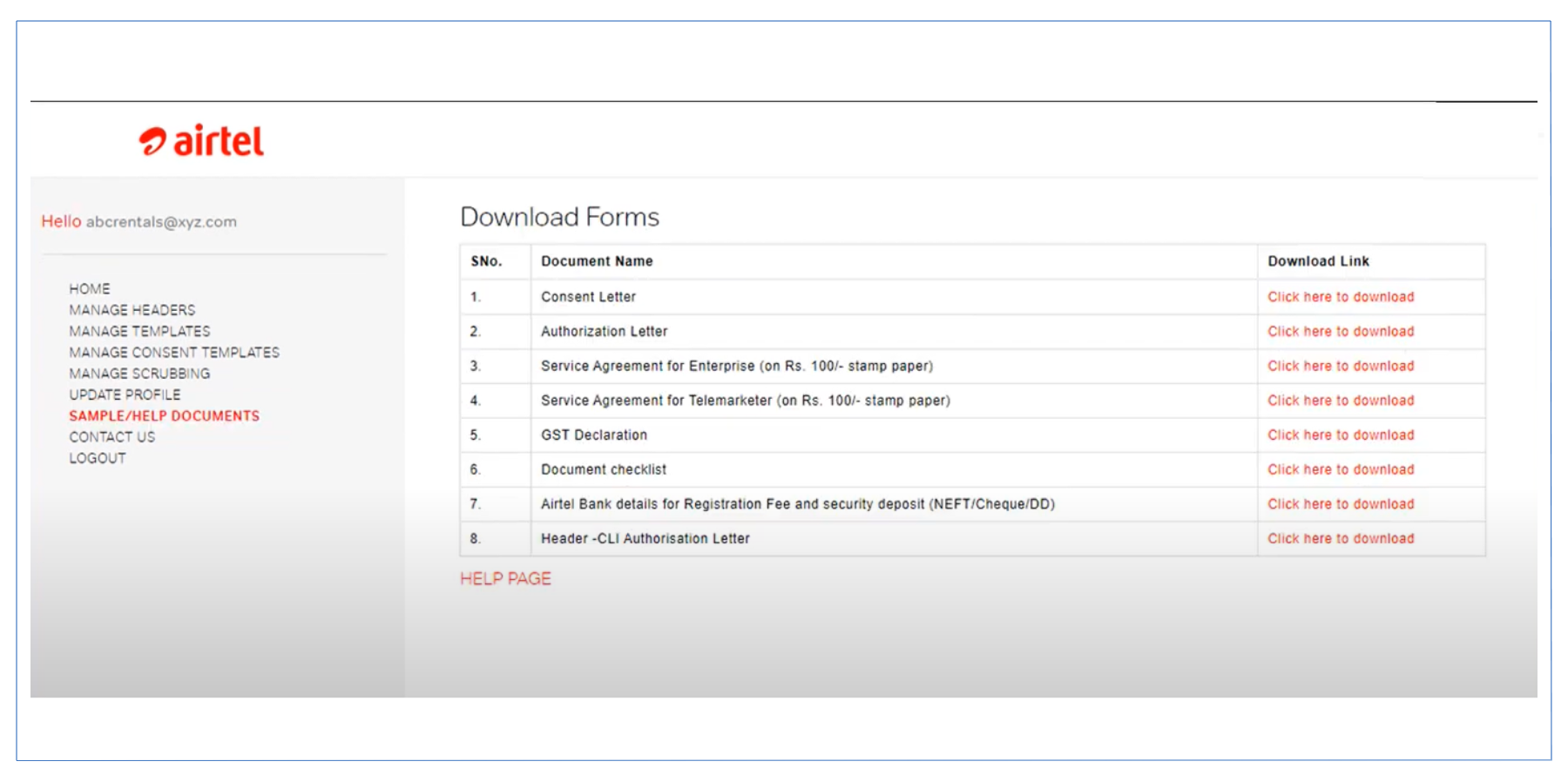
- On the left corner, you will find the Sample/Help Documents link. Click and download the format for required documents.
- Fill out the documents in the same format (text-only).
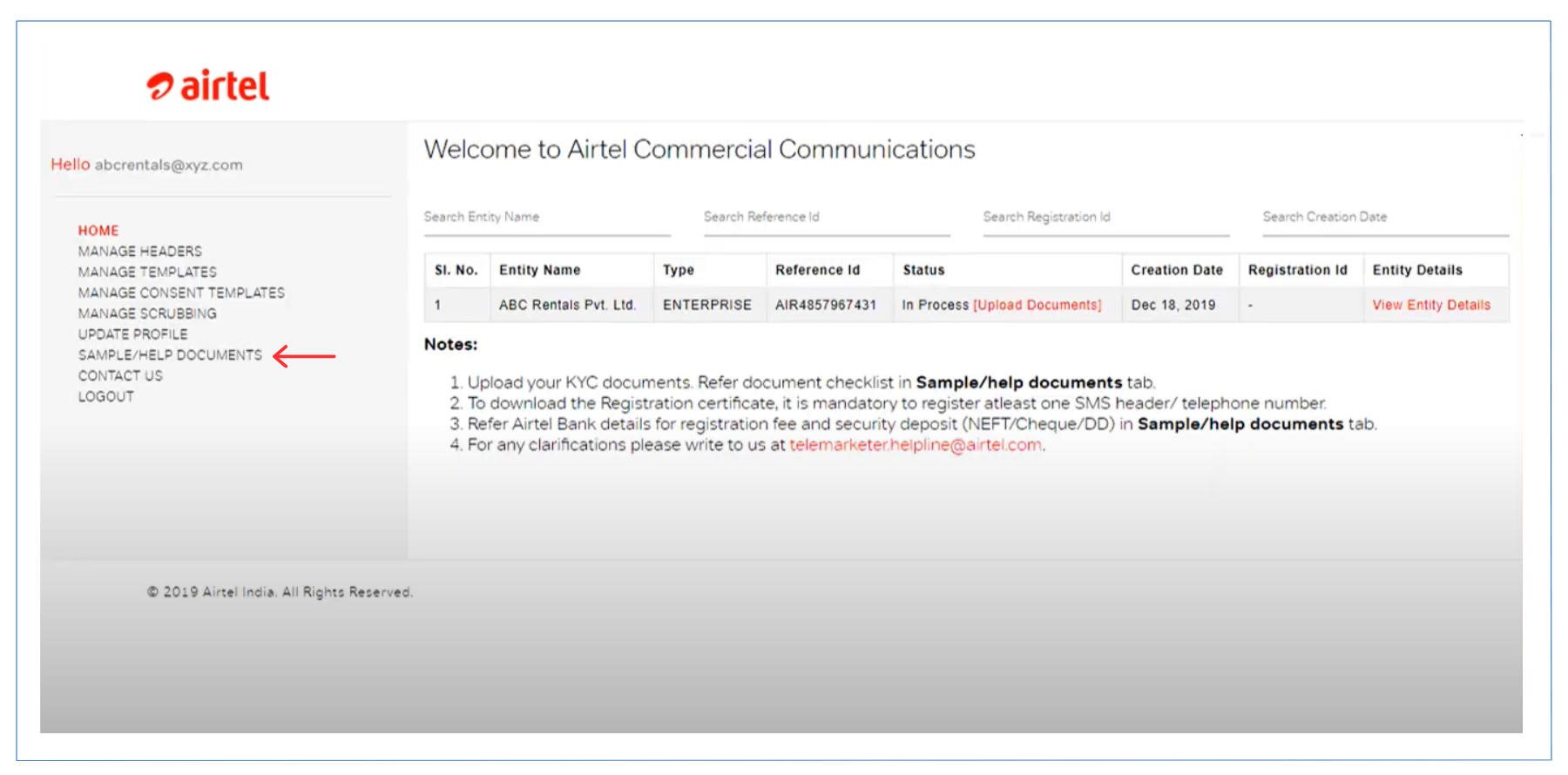
- Click the Upload Documents link in the status box.
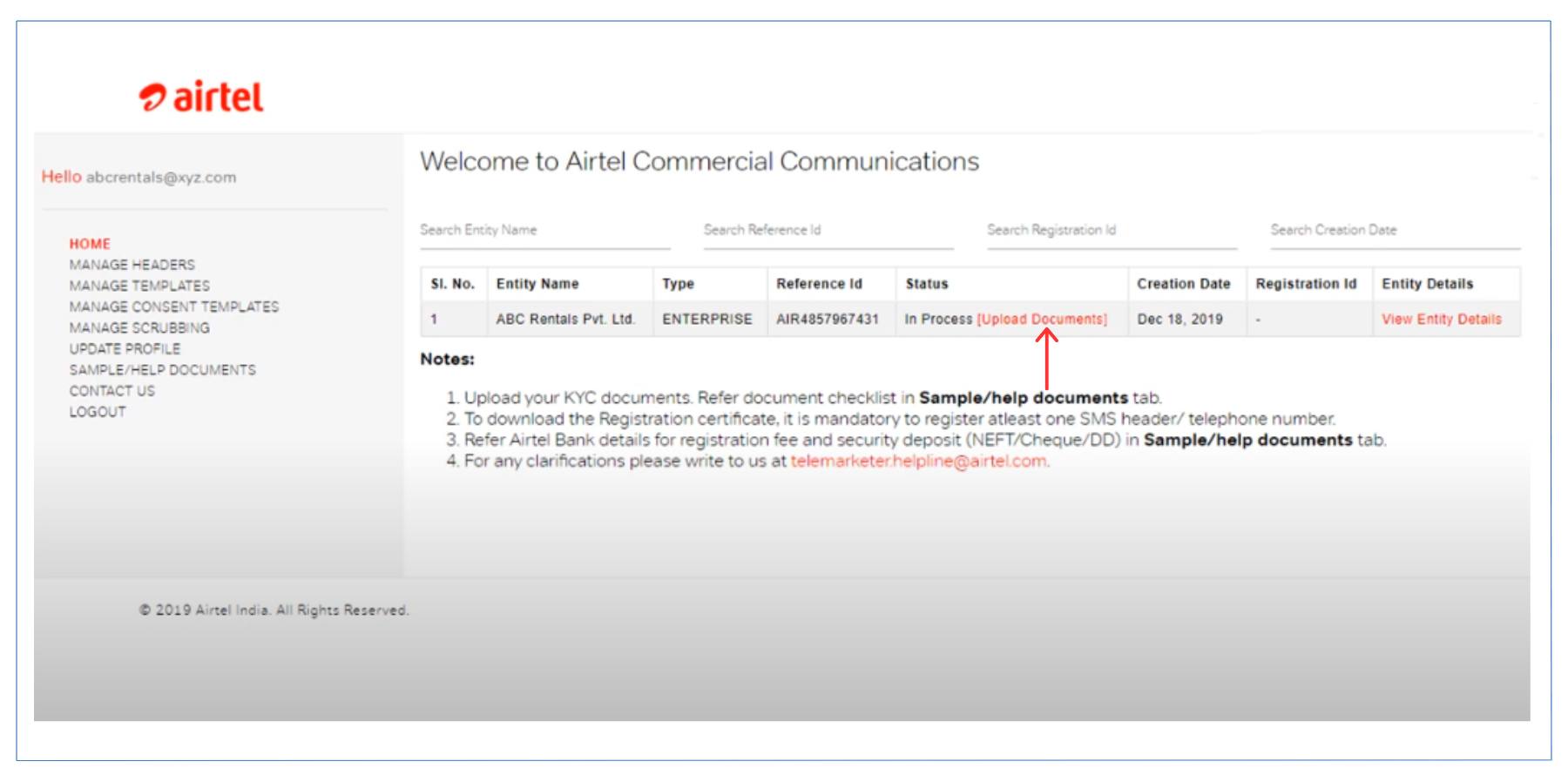
- Choose the appropriate document type from the dropdown menu.
- Click the Browse button to upload the documents.
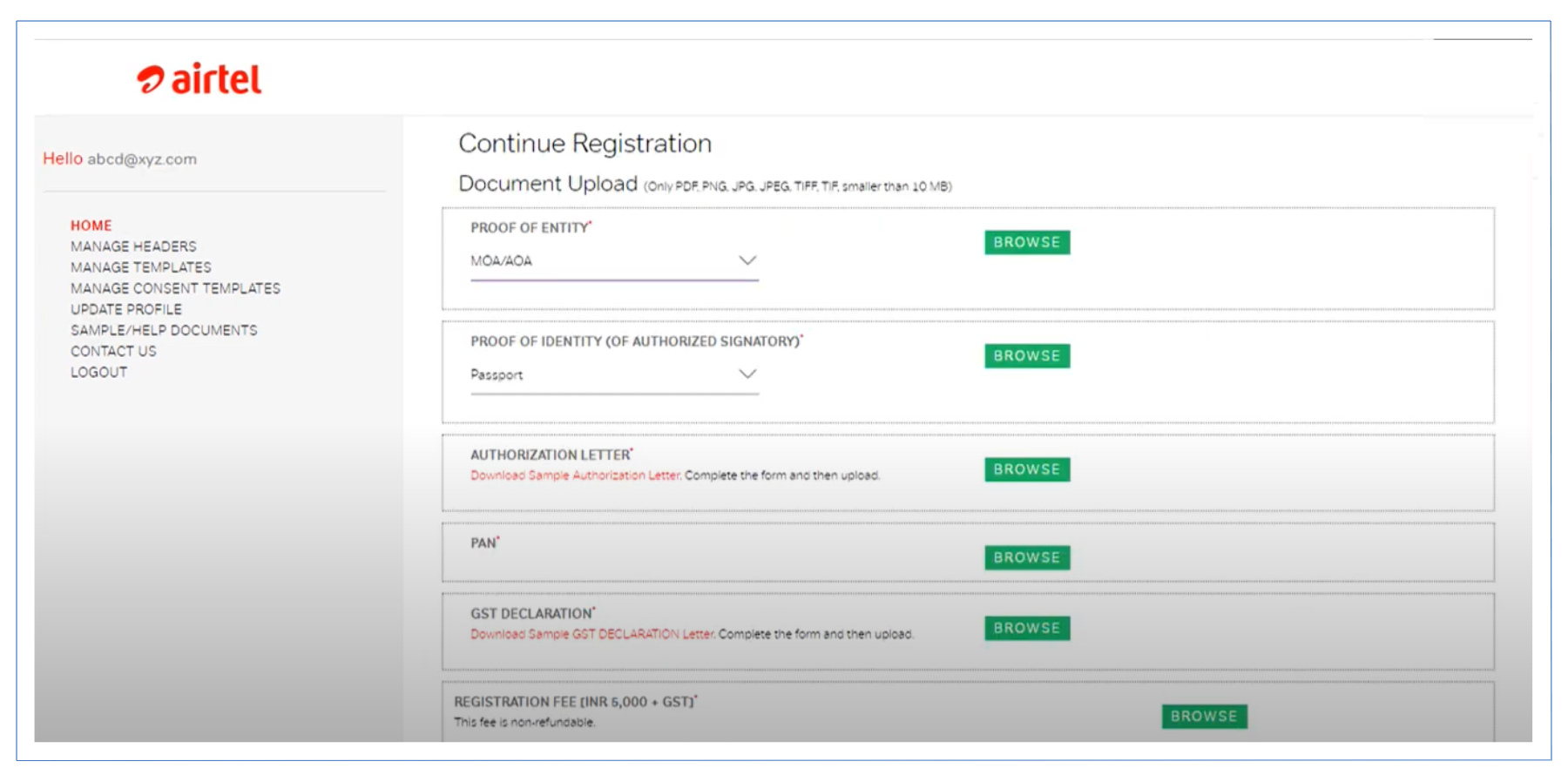
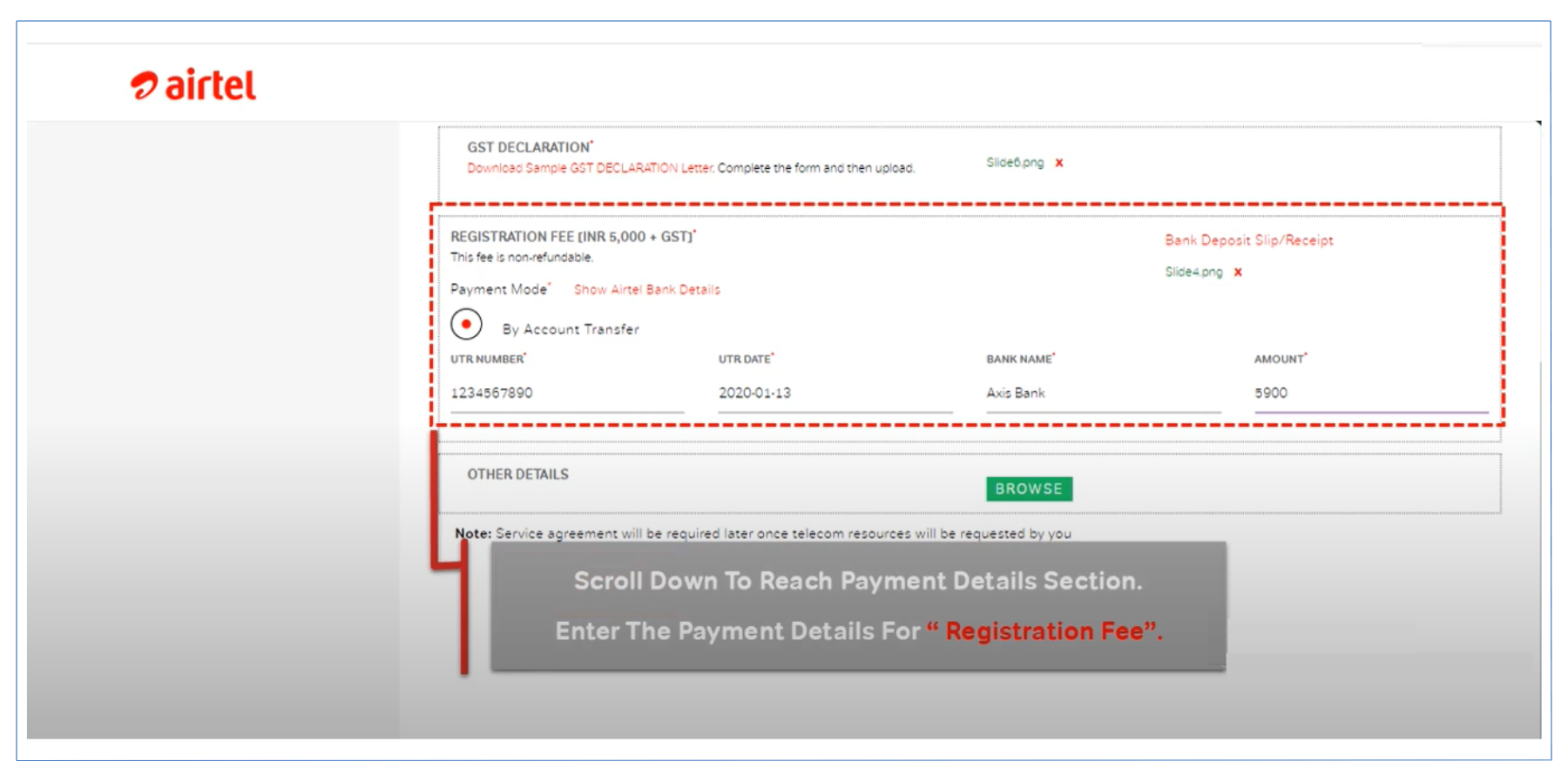
- Scroll down to the payment details section.
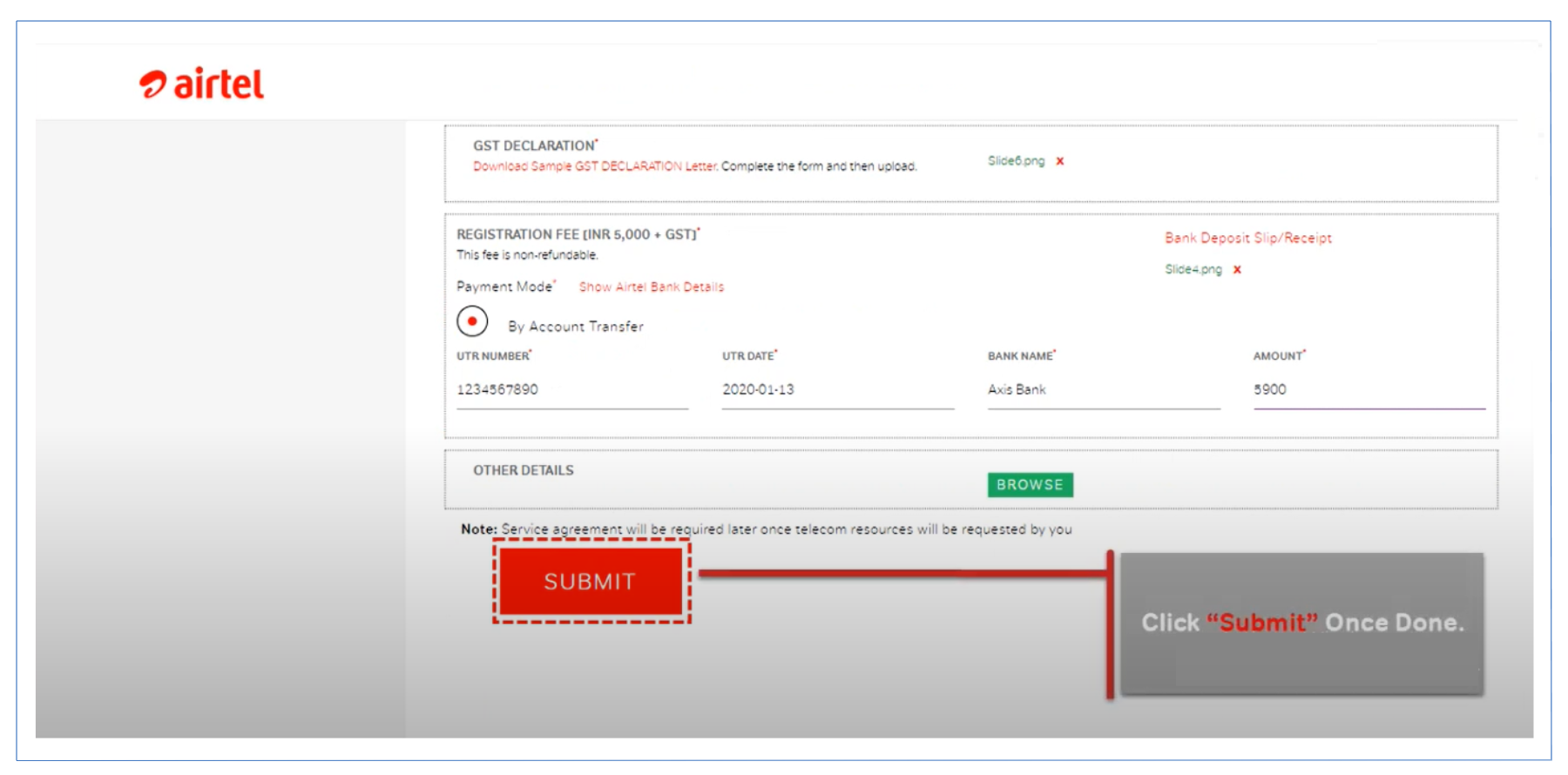
- Fill in your payment details and pay the registration fee of 5900 INR.
- Click Submit after entering payment details.
- A preview page will appear. You can print or save the form.
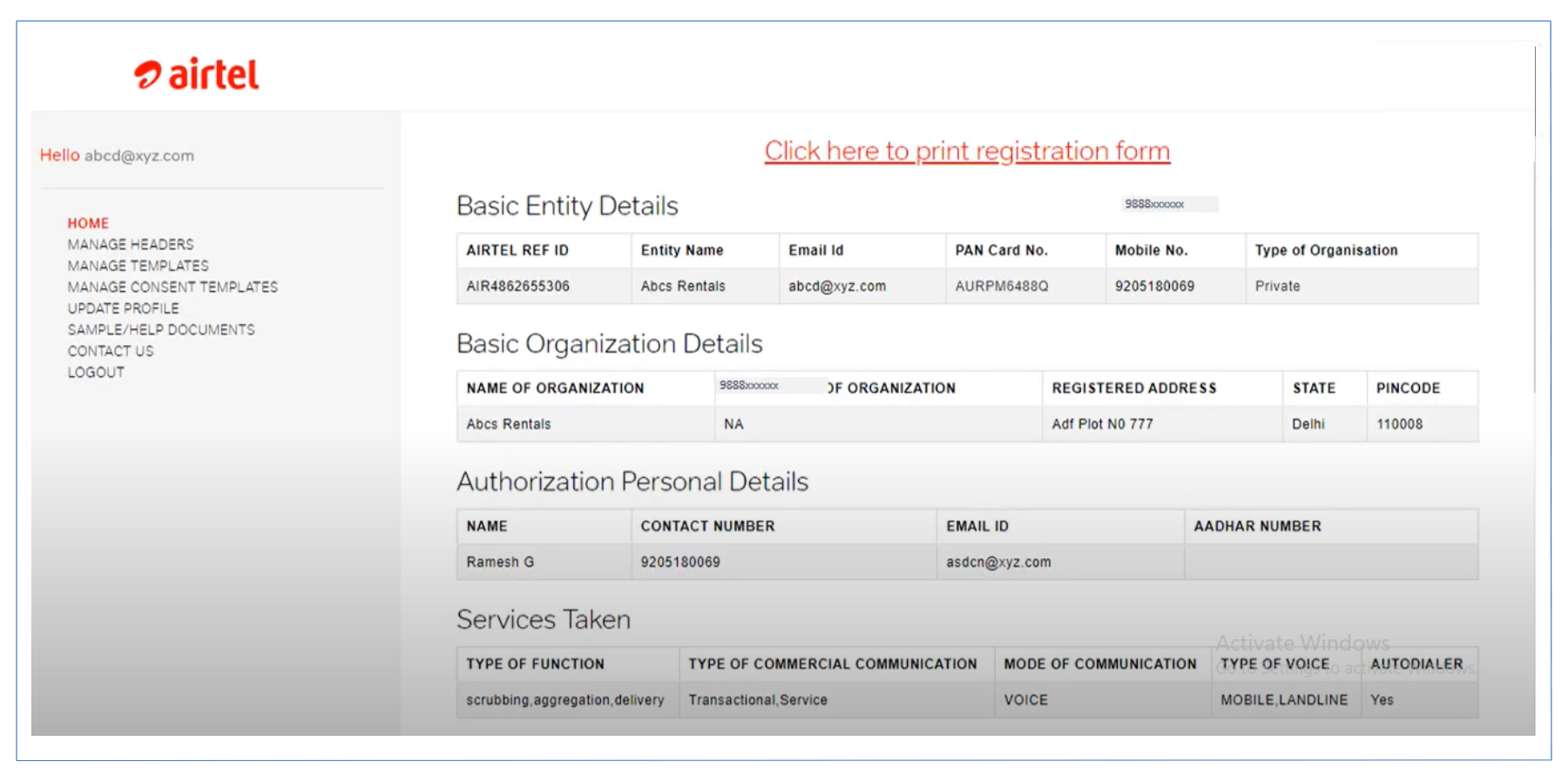
- Click Continue.
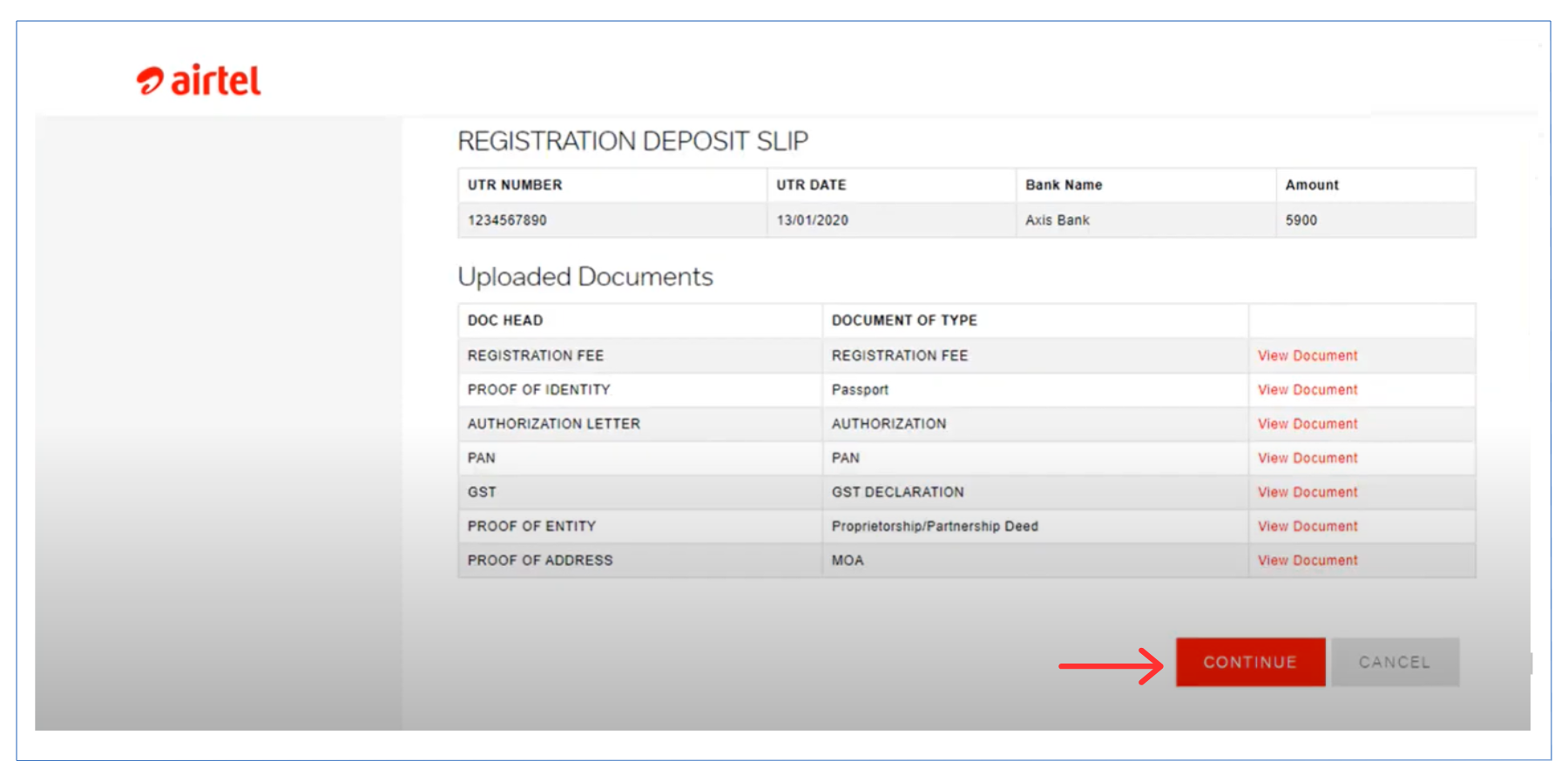
- Your application number and Airtel SPOC details will appear. Click Proceed.
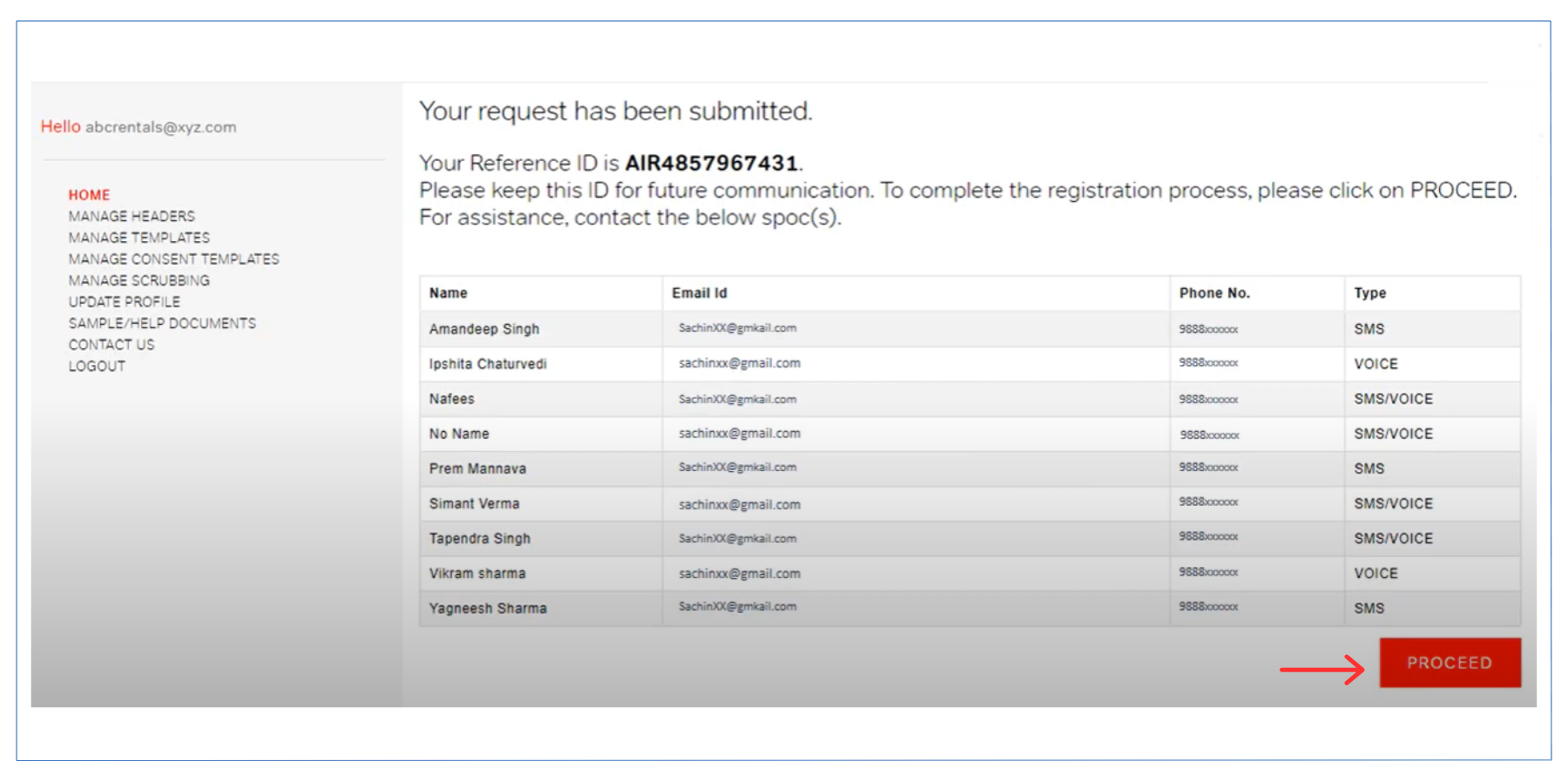
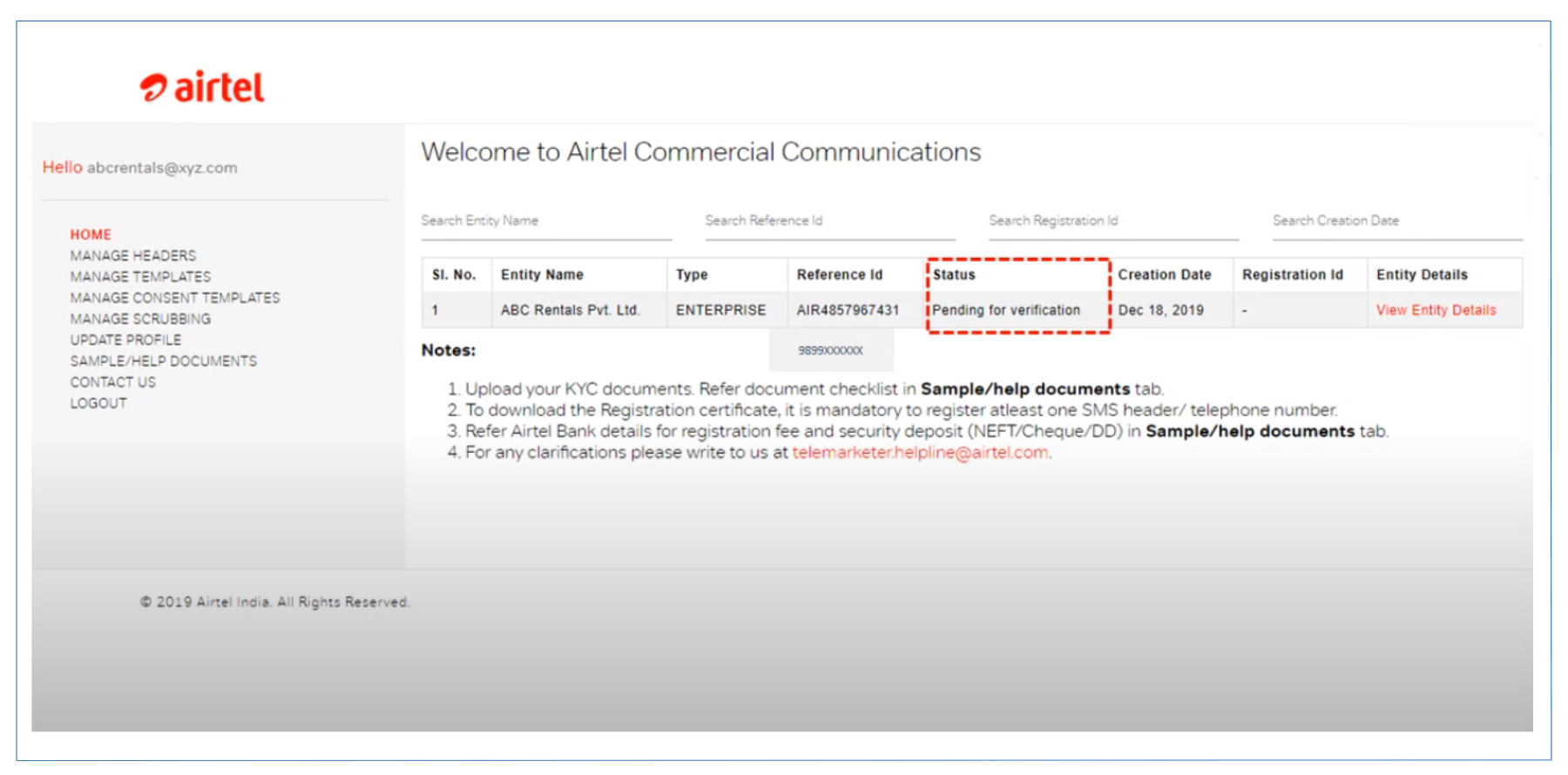
- All your submitted details will be forwarded for verification.
- It may take up to 24 hours for Airtel to verify your details.
- After successful verification, you can start applying for headers and templates for your communication.
Ready to Transform Your Business Communication?
Connect with your customers instantly through powerful messaging solutions. From Bulk SMS to WhatsApp automation, we help businesses communicate smarter and grow faster.